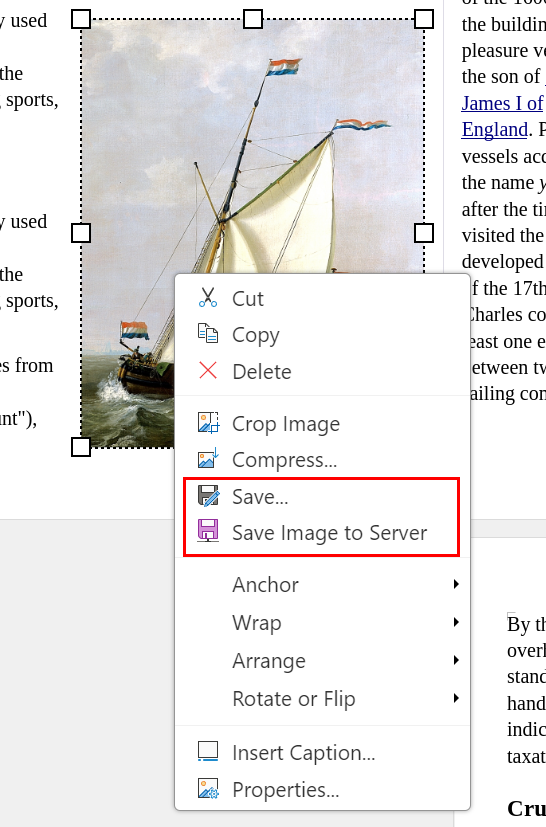
Previously, there was no way to save or download images from documents in Collabora Online. The desktop version (Collabora Office Classic) had a “Save…” option in the image context menu, but this relied on a native file dialog that doesn’t exist in the browser.
With these changes, when you right-click on an image in Writer, Calc, Impress, or Draw, the context menu now offers:
Save… – downloads the image to your computer in its original format (PNG, JPEG, SVG, etc.)
Save Image to Server – saves the image to your cloud storage (e.g. Nextcloud), using the storage provider’s file picker to choose the location and filename. This option appears only when the storage provider supports it.
The image is always saved in its native format, preserving the original quality without any conversion.