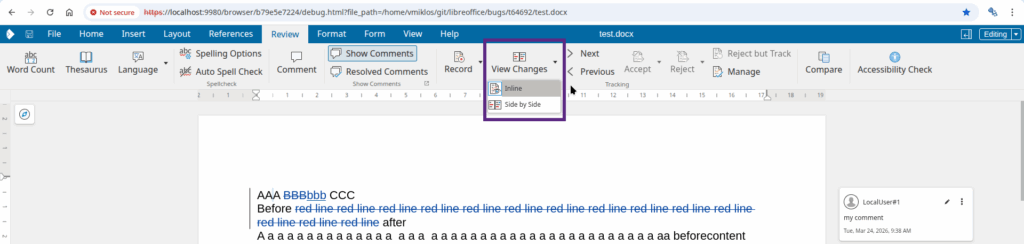
I worked with Pedro on improving the doc compare UI for Writer. Collabora Online core supports showing or hiding tracked changes in document content, we have a UI button for that, see the notebookbar’s Review tab, the Tracking section’s Show button. Entering doc compare mode or leaving it works by clicking on the View Changes button, in the same section. But this means that you can show/hide changes (modifies the document layout, affects everyone) and also view them (only affects your view), and they do quite different things. 🙂
The new UI has a button with a drop-down: the button is toggle that reflects if you compare change side-by-side or not. And if you click the drop-down next to the button, it’s clear that show/hide is for inline rendering in the document layout while the other option is to render changes side-by-side.