Gülşah Köse
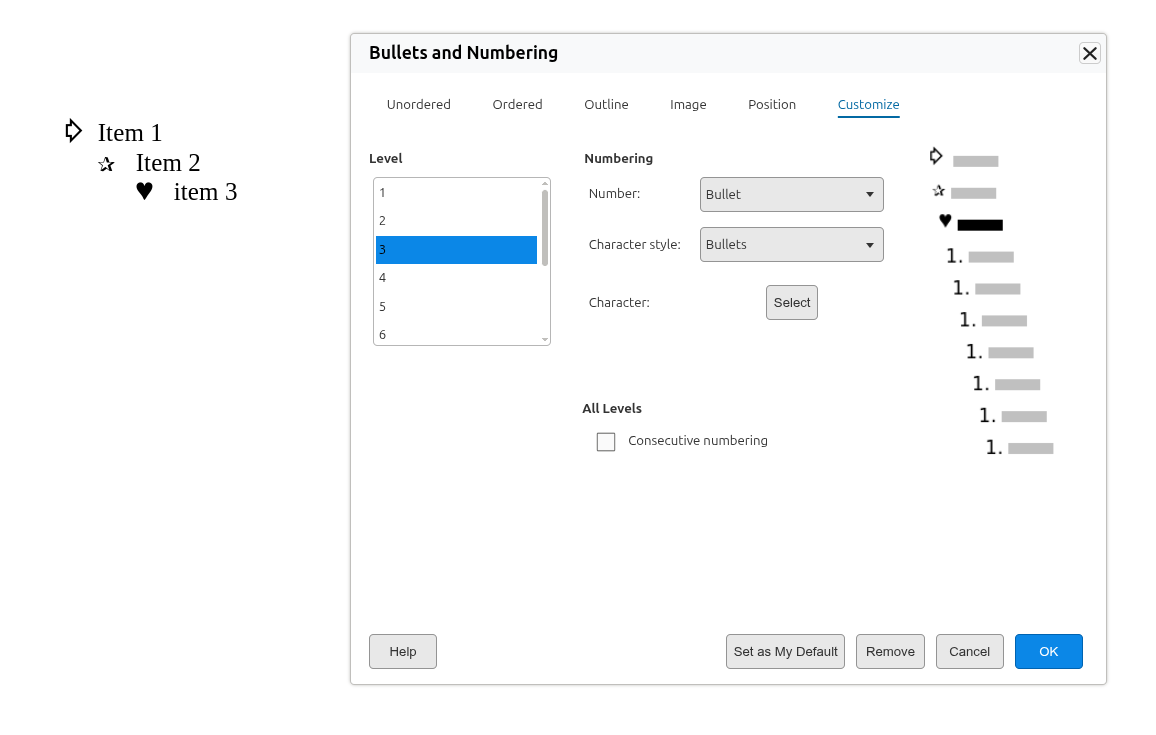
You can now choose the bullet and numbering style you like best and make it your personal default for new lists.
How it works
Open Format ▸ Bullets and Numbering and set up the list exactly how you want it — the bullet glyph, fonts, and numbering type for each level.
Click the new Set as My Default button.
From then on, every time you start a new bulleted or numbered list, Writer uses your saved style instead of the built-in default. Your choices are remembered per level, so a multi-level list comes back the way you set it up.
In Collabora Online
When you’re signed in, your default bullets and numbering travel with your account: they’re saved back to your host and applied automatically the next time you open a document.
If you’re in an anonymous (not signed-in) session, there’s nowhere to store personal settings, so the Set as My Default button is disabled and its tool tip explains that you need to sign in to use it — no silent surprises.
ote the changing zoom level for the window. As the window size changes, the slide zoom level adjusts automatically to fill the screen (click to expand images)