Adrià Figuera
Collabora Office Desktop nightly builds are now available for Linux through Flatpak – install once, then execute a single flatpak update to pull the newest snapshot whenever you require it.
Quick Start
1. Add the repository
					flatpak --user remote-add --if-not-exists collabora-nightly \
  https://www.collaboraoffice.com/downloads/Collabora-Office-Flatpak-Nightly/collabora-nightly.flatpakrepo
2. Install the nightly snapshot
flatpak --user install collabora-nightly com.collaboraoffice.Office
3. Run it
flatpak run com.collaboraoffice.Office//master
4. Update to the latest build
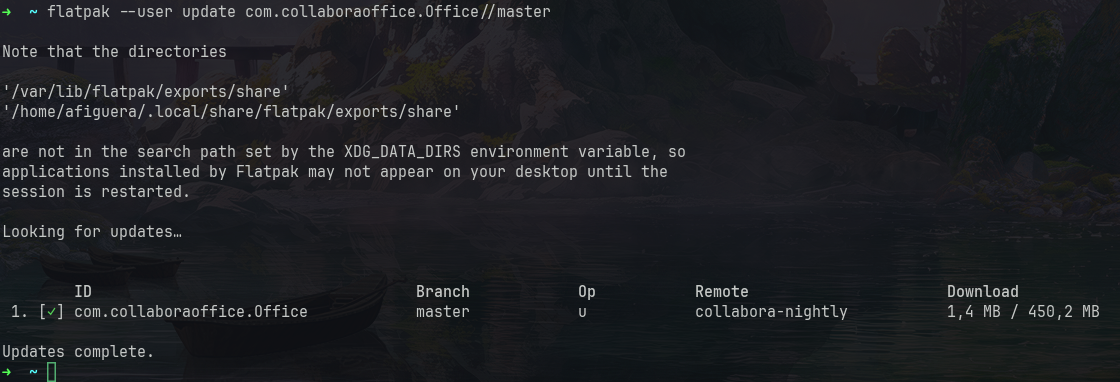
flatpak --user update com.collaboraoffice.Office//master
Under the hood
Flatpak uses OSTree – think Git, but for application binaries. Updates only pull down objects that actually changed, and precomputed static deltas shrink them further by transferring only the changed bytes inside large recompiled binaries. That matters for a big, mostly-stable codebase like Collabora Office, turning a multi-megabyte nightly into a small update.
Every package is GPG-signed, allowing flatpak to verify the integrity of each snapshot before installing.
How did we set up the repository
An archive-z2 OSTree repository is just a directory on collaboraoffice.com:
# Create and initialize the repo
mkdir -p Collabora-Office-Flatpak-Nightly && cd Collabora-Office-Flatpak-Nightly
ostree init --mode=archive-z2 –repo=repo

# Import a build and publish, signed with the nightly key
flatpak build-import-bundle --gpg-sign=flatpak-nightly@collaboraoffice.com \
repo ../Collabora-Office-Linux-Snapshot/CollaboraOffice-some-timestamp.flatpak

# generate static deltas
flatpak build-update-repo --generate-static-deltas --gpg-sign=flatpak-nightly@collaboraoffice.com repo
The build-update-repo option publishes the update (regenerating the summary so clients see it) and –generate-static-deltas makes it smaller.
Each nightly build process just uploads the new bundle, logs into the web server and repeats the last two commands.
Availability
Find the instructions for Flatpak Nightly here https://www.collaboraoffice.com/downloads/Collabora-Office-Flatpak-Nightly/
We also have Snap, macOS TestFlight and Collabora Office Preview app in Windows Store https://www.collaboraoffice.com/downloads/CODA-Hd7wwbJWxm/