#SPILL! is a new kind of error, that you can get when the output of an operation can not be written to the cells, because it is blocked (some of the cells have content). Usually in this situation the content was just overwritten without an question, or an error message box was shown and the operation was not performed. Now in this situation we will get a #SPILL! error, written to the cell and no content will be overwritten. Once you have removed the content, so there is space, the output will expand and the #SPILL! Will be resolved.
Previously when we tried insert a pivot table, in the case some content was already present, we got asked if we want to overwrite or cancel the pivot table creation. This is now changed so that in this situation we get a #SPILL! error. Once the pivot table output can be expanded (so the blocker content is removed), the pivot table output is written to the cell.
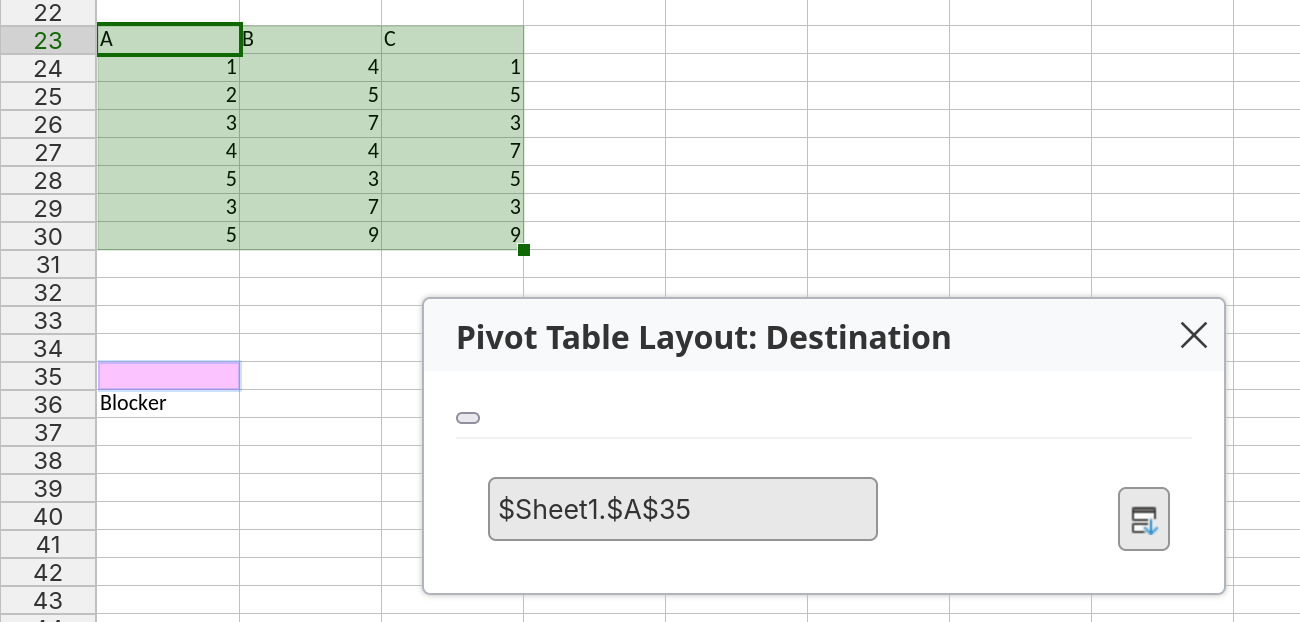
Figure 1: Insert Pivot Table, Output is blocked by “Blocker” cell.
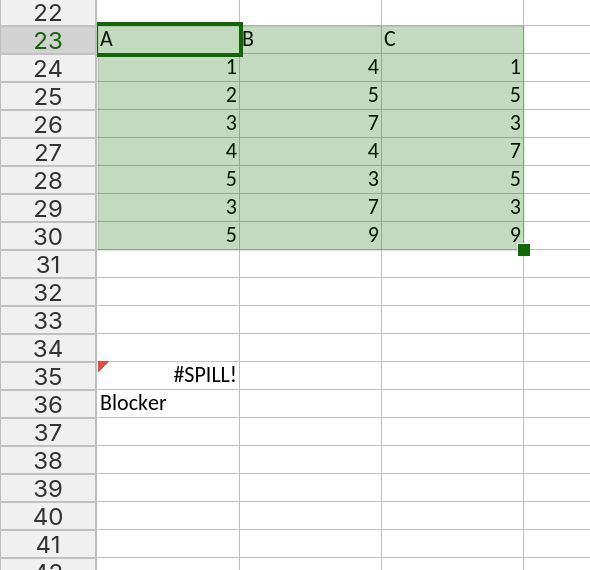
Figure 2: Pivot table output produces a #SPILL! Error.
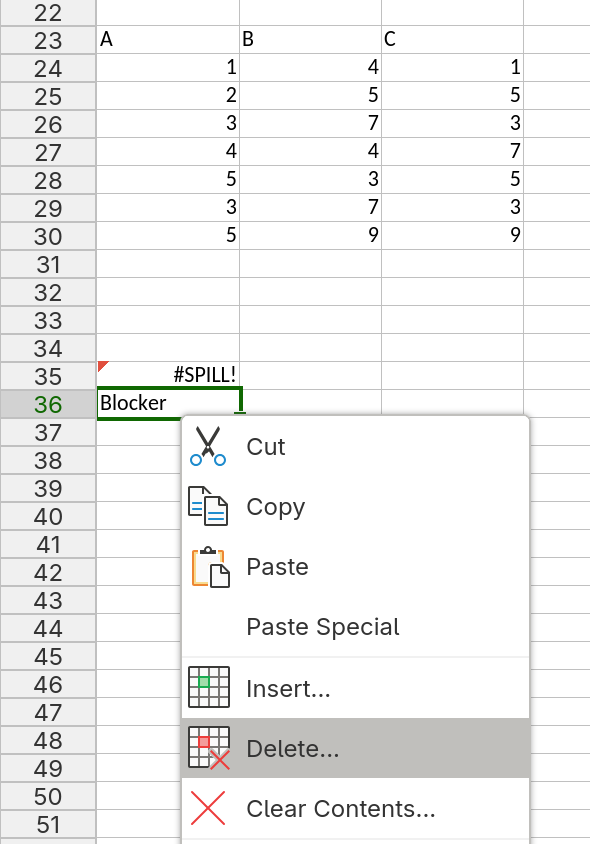
Figure 3: Delete the "Blocker" cell is blocked by “Blocker” cell.
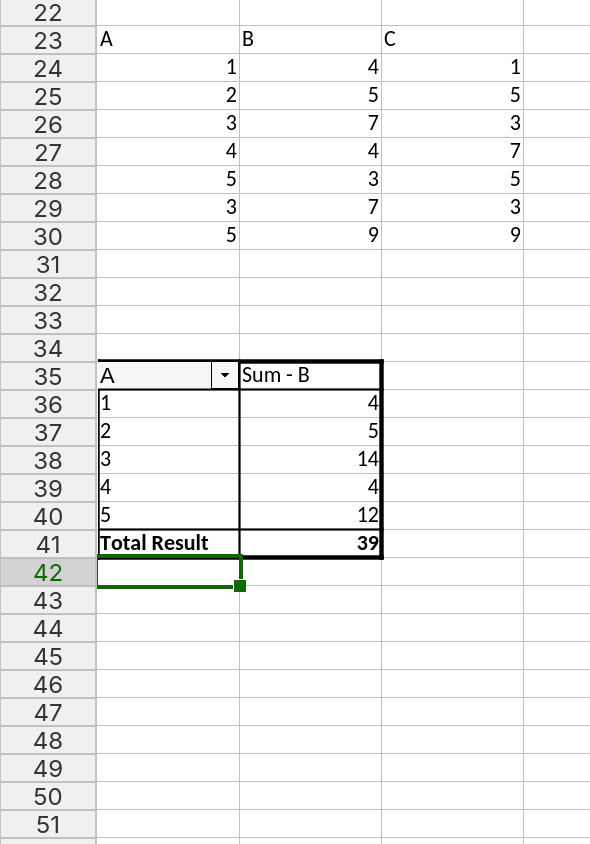
Figure 4: Pivot table output is written to the cells.