You’re cleaning up a spreadsheet — pruning a column you don’t need any more, deleting an old sheet — and you save without noticing that a formula somewhere else in the workbook now reads #REF!. By the time anyone spots it, the original data is gone and the chain of dependencies has to be rebuilt from memory.
Collabora Online’s Calc now catches that mistake the moment it happens.
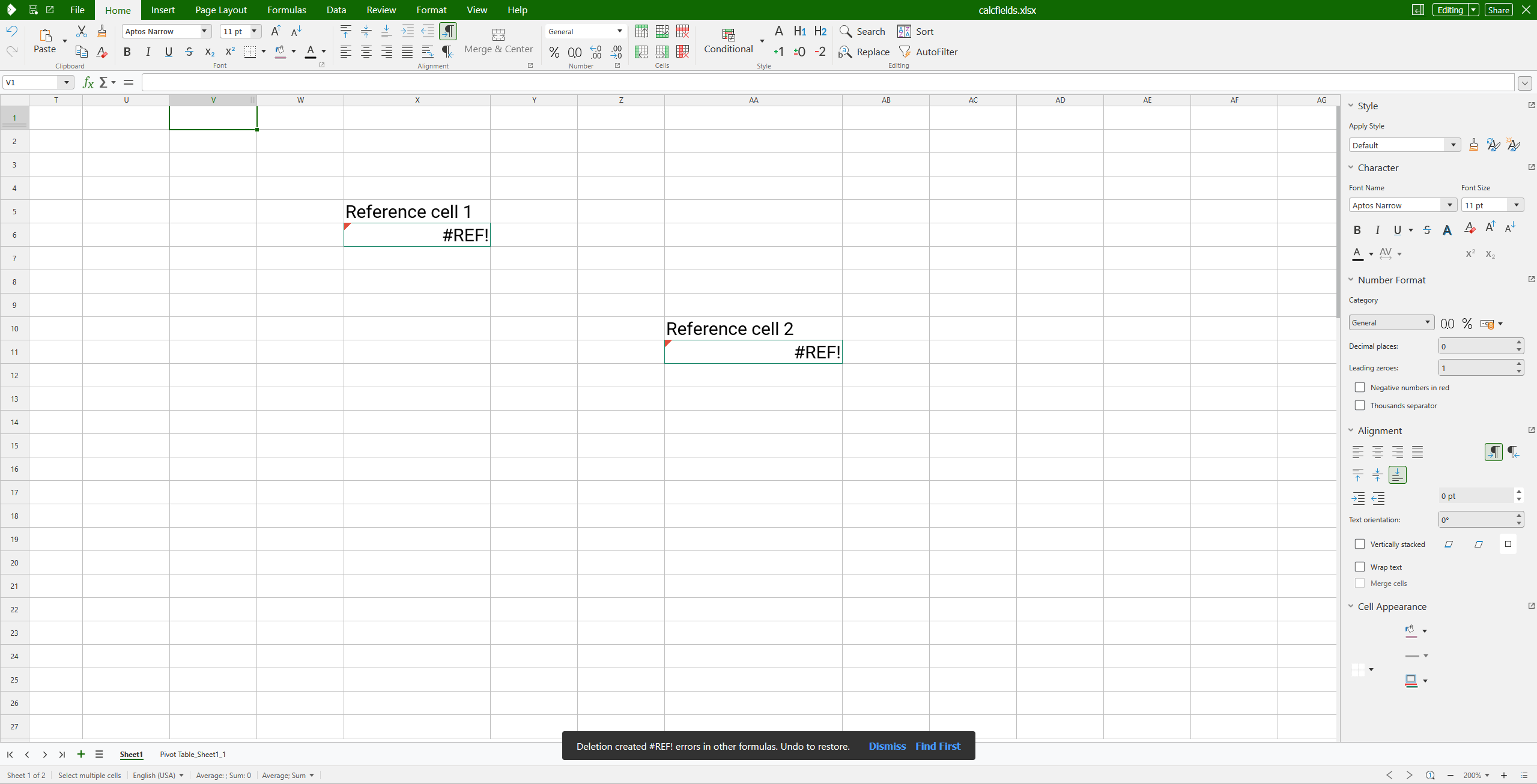
Deleting a cell that breaks formulas elsewhere now surfaces a snackbar warning so the user can confirm or undo before the broken #REF! references silently propagate.
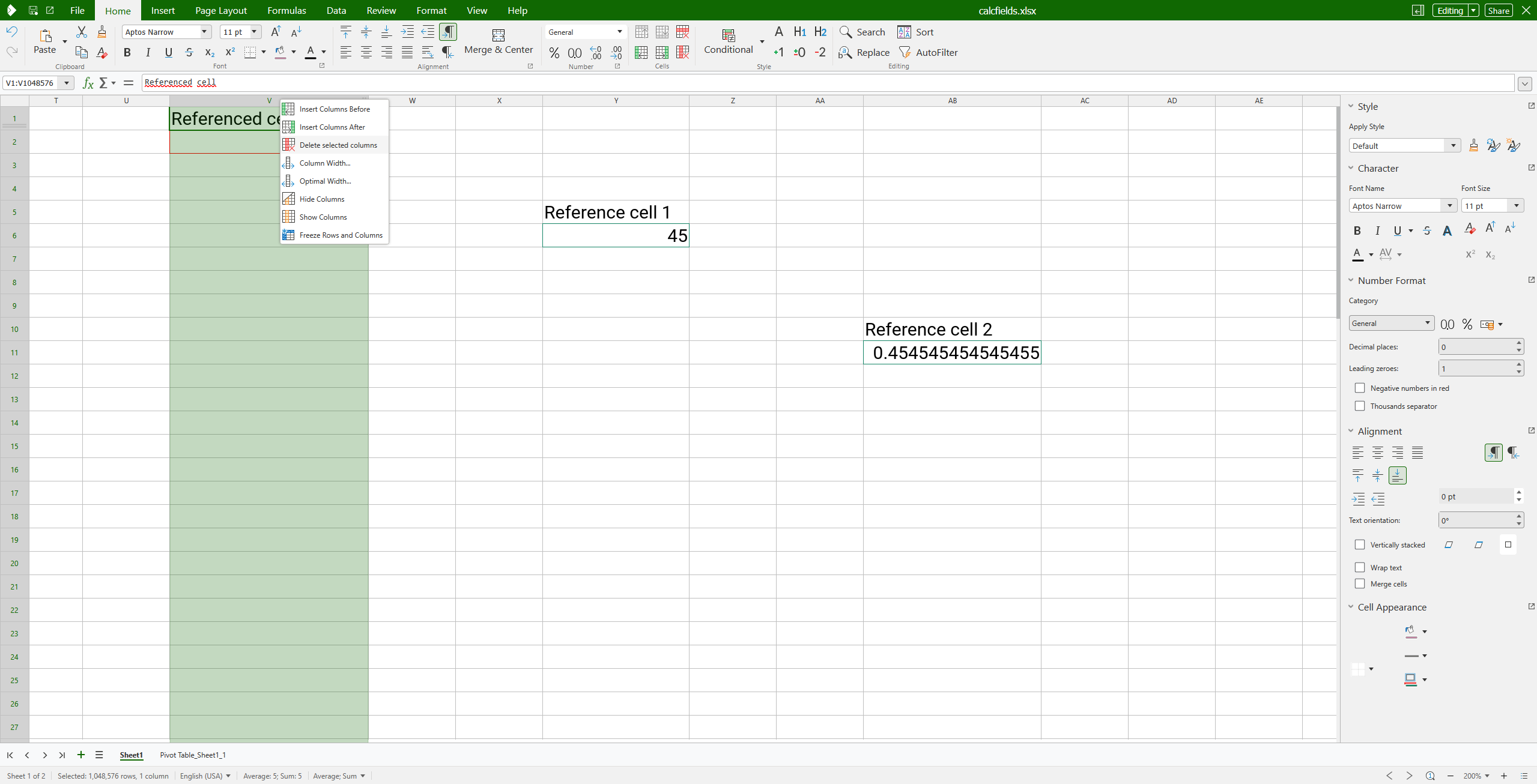
When deleting a row, column, or sheet leaves dangling references behind, a snackbar slides in at the bottom of the document with two options:
Find First jumps the cursor straight to the first broken formula, so you can see exactly what was hit.
Dismiss closes the warning if the deletion was intentional.
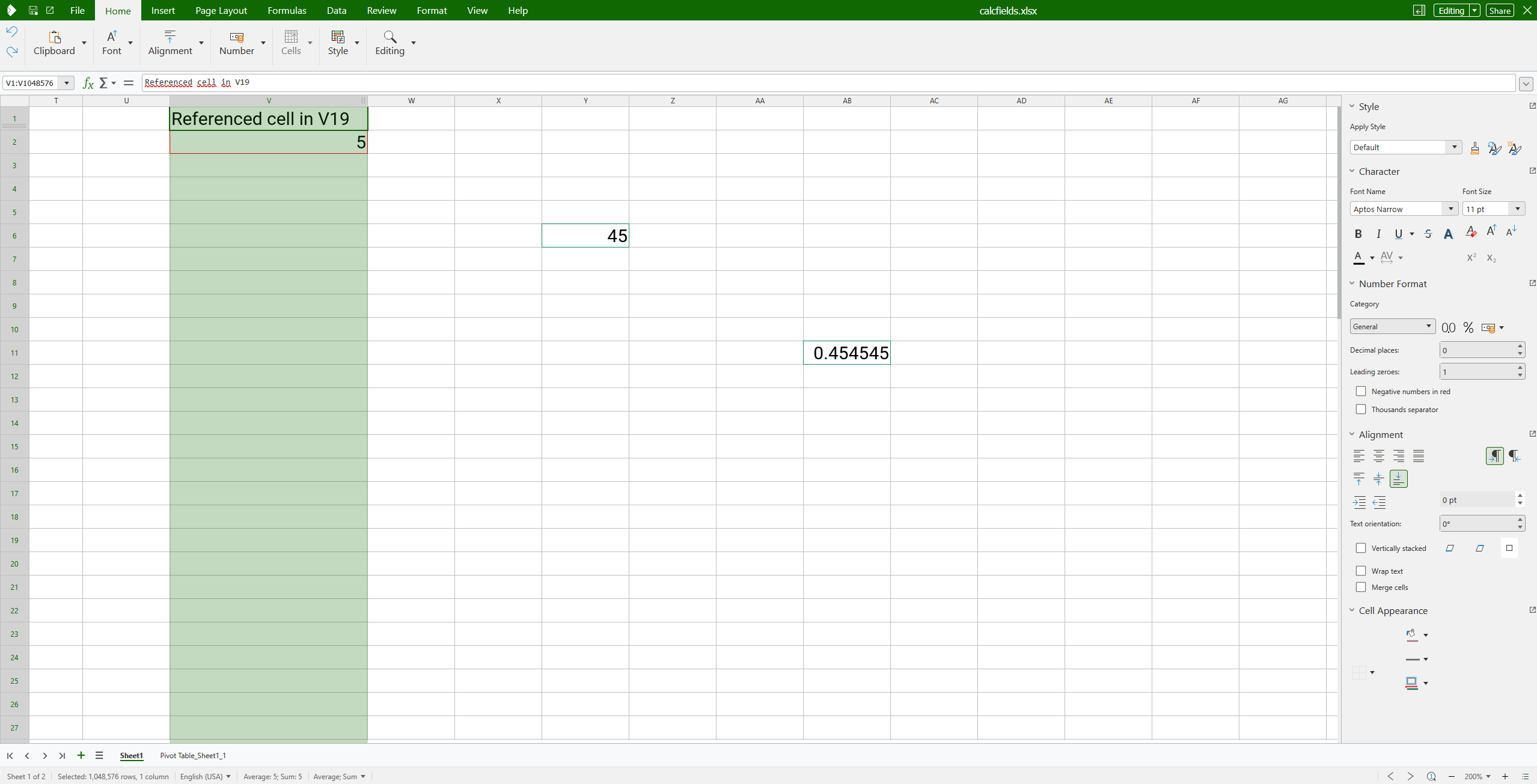
Hitting Undo also clears the warning — and, of course, restores the formulas.
Before doing Undo
After doing Undo
How it works
The heavy lifting happens in core, which already maintains the cell dependency graph. After a delete, core walks the graph for references now pointing at deleted cells, picks out the first one, and emits a state-change event. Online’s notification layer listens for the event and shows the snackbar; the cell address arrives with the event itself, so the Find First action is a one-liner — no extra round-trip needed.
Enabled out of the box
In Collabora Online the warning is on by default — no admin configuration needed. Behind the scenes, the flag lives at:
So the warning is active for every document loaded by the deployment. The same registry entry exists in core/desktop, where it’s exposed as an Expert Configuration option at the identical path.