Integrating collaborative document editing with Microsoft SharePoint
Collabora Online provides a supported, open-source alternative for SharePoint and WOPI-based workflows, helping teams keep document editing within infrastructure they control.
For the public sector, healthcare, finance, defence, and other regulated environments, this means document collaboration does not have to move deeper into Microsoft’s cloud.
Find out how Collabora Online can support SharePoint environments beyond Office Online Server.
Install CODE & Try It Out
Collabora Online Development Edition can be set up On-Premise via virtual appliance, Docker, Linux package, etc.
FAQs
The end of Office Online Server is part of a wider direction of travel from Microsoft: away from self-hosted control and towards Microsoft hosted Office 365.
For some organisations, that may be acceptable. For many, it creates serious questions. Public sector bodies, regulated industries, sovereign cloud providers, managed service providers and anyone else who values privacy and GDPR compliance cannot move document collaboration deeper into Microsoft’s cloud. Indeed, this was why they originally chose MOO on premise.
As well as those with regulatory needs, many organisations are concerned about moving their data and getting further tied into the Microsoft ecosystem.
From 1 January 2027, organisations still using it will be running without security updates, bug fixes or technical support, in an era of increasingly aggressive AI driven cyber-attacks.
Office Online Server is retiring on 31 December 2026. It is the engine behind every in-browser document experience on SharePoint on-premises.
Without a replacement, your users fall back to downloading files and editing on the desktop — losing collaboration your teams rely on every day.
What's retiring?
- In-browser editing: Word, Excel and PowerPoint files opened and edited directly in the browser.
- Real-time co-authoring: Multiple people editing the same document at the same time.
- Previews and viewing: Document previews and read-only viewing across your sites and libraries.
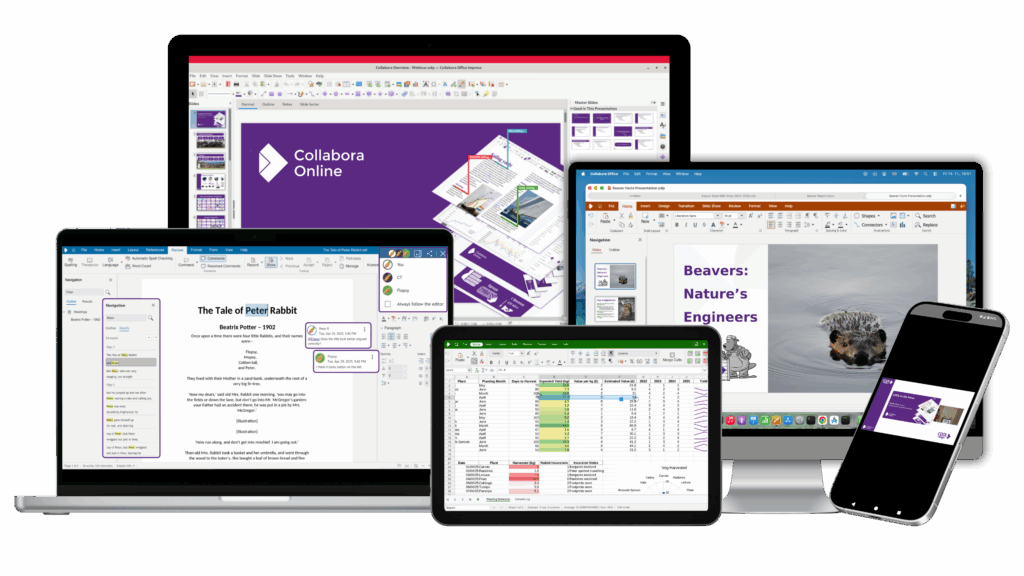
Collabora Online is simple to integrate with your SharePoint Server. There are a few simple settings to make your users benefit of all the advantages of Collabora Online.
Install Collabora Online on a server, then bind SharePoint to it — two commands in the SharePoint Management Shell:
1. Set the WOPI bindings inpowershell with:
New-SPWOPIBinding -ServerName cool-server-name.example.com:port
(replace cool-server-name.example.com with the host name of the Collabora Online server, and port with the port number, that is 9980 by default.
2. Set the WOPI Zone with
Set-SPWOPIZone -Zone "external-https".
Read this blog post for more detailed technical information.
- Self-hosted on your servers — bare metal, VMs or Kubernetes / OpenShift
- Private cloud or trusted local hoster
- Hybrid models for phased migrations
- Scales from a single server to very large multi-node deployments
- Documents processed entirely inside your network perimeter
- Open-source code — independently auditable
- Enterprise SLAs, long-term support and security updates from Collabora
- A vendor whose business model is support — not your data
Try the FREE Demo