
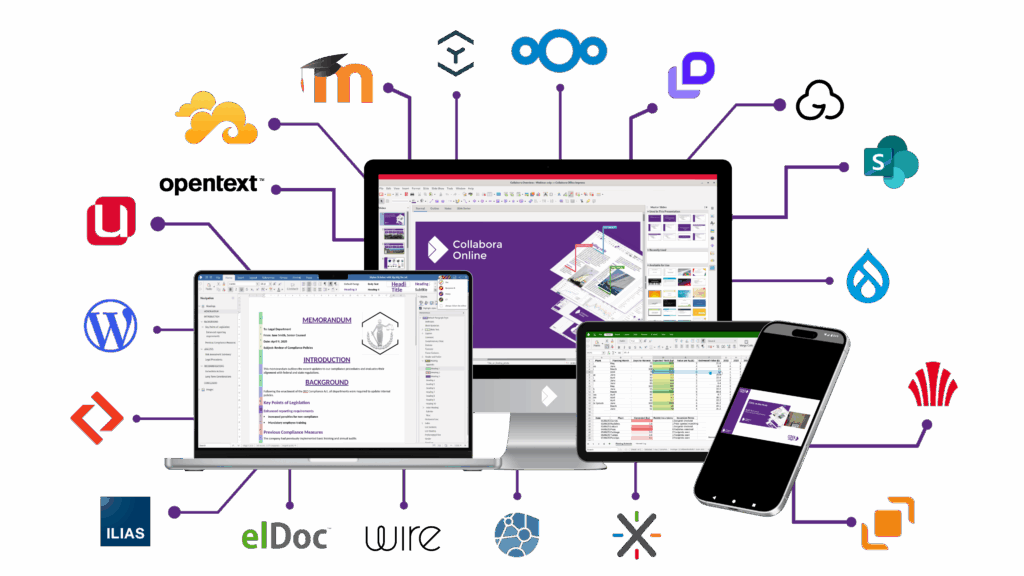































Download the white paper to find out more about the benefits of integrating Collabora Online instead of developing your own document editor from scratch.
We offer 2 different on-premise products:
Collabora Office (desktop) is the enterprise-ready edition of the world’s most widely used Open Source desktop office suite. We provide installation and administration utilities together with long term maintenance and contracted support to deliver successful deployments with expertise.
Collabora Online – Collaborative editing in the cloud, on your own terms.
There is also a comparison document between both products in our “white papers and case studies page” called “What are the differences between Collabora Online and Collabora Office?“
We offer our free version CODE. CODE is a continuously updated, rolling release where we try out our latest feature work, and has no SLA or long term support. As such, we don’t recommend CODE for business or production environments.
If you are familiar with Linux, then CODE would be like our Fedora or openSUSE version – rather than RHEL or SLES, and lots of people use it.
More information here: https://www.collaboraoffice.com/code/
CODE is the development version of Collabora Online, used primarily for testing. Most of the core functionality will be identical between the two, and in many cases CODE will have more up-to-date functionality than Collabora Online even, but since it is a testing environment, it is not recommended for anyone who needs a stable supported release. It is perfect for testing, home use or small teams, but not recommended for a production environments.
Collabora Online is our enterprise-ready, supported version which is available as a subscription plan based on the number of users per year. This comes with SLA, maintenance, Long term support, software and security updates and much more.
Our subscriptions are based on a yearly price with discounts available for multi-year contracts. Please contact us to discuss details.
For Collabora Online, a user is someone who has access to use the supported and maintained software. So everyone who has an account to create, edit and collaborate on documents. An important advantage of our approach is, that we don’t charge you for the number of documents that users have open in the browser simultaneously. Another advantage is that users can also share documents with others who have no account, to co-edit or review. We do not charge for external users.
You can access Collabora Online via one of our partners or by integrating it into your own environment.
There is no formal limit here. Ultimately performance tails off as more users are in-use concurrently, as you might expect – depending on server resources – it is normal to have 20 people in a collaborative meeting session, which works well however.
Our sdk explains how to customise Collabora Online to fit your working environment, including how to change the theming to create a branded experience for your users, among other useful documentation to deepen your integration. You’ll also find installation guides, troubleshooting and step-by-step tutorials. https://sdk.collaboraonline.com/docs/theming.html
~~~
Check out the starting points for new developers on the project — usually with code pointers helping you to locate the area to hack on easily.
Our target are companies that look for a secure online office suite, which they can host themselves, in their desired solution, on a private or public cloud, without any vendor lock-in. The biggest issue for most companies to not use Office 365 or Google Docs is that they have to store the data on their servers – servers they don’t control and don’t know who are being shared with. In certain industries, like Pharmaceutical / Medical, Health or Finance / Banking / Insurance / Legal and/or Military this is crucial.
Get in touch for a quote, ask a question or sign up to the newsletter so you don’t miss out on all the latest news.
Find out about working with Collabora Online from some of our partners
Learn more about how Collabora Online has worked for other integrators.
Find out more about the benefits of becoming a Collabora Online Partner.

The Uncomfortable Truth About Microsoft Customer Lockbox There is a question that every organisation storing data in Microsoft 365 should be asking, but most never do: can Microsoft access your files, emails, and documents without your knowledge or consent? The answer, by default, is yes – and Microsoft will even
Web Application Open Platform Interface (WOPI) is a REST-based protocol originally developed by Microsoft to enable web-based document editing between third-party applications. It’s the “plumbing” that connects document storage systems (such as Microsoft SharePoint, file servers or cloud storage) with online office suites for seamless editing experiences. Microsoft created WOPI

Keep your storage. Upgrade your editing. If you’ve ever wondered whether Collabora Online is a “cloud drive”, the simple answer is no. We are focussed on making the best document editor possible, and don’t handle document storage. For document storage, we integrate beautifully with Enterprise File Sync & Share solutions

“As we come to the end of another extraordinary year, I want to extend a heartfelt thank you to our customers, partners, community and of course the awesome team at Collabora Productivity. “We’re focused on making Open Source rock by creating beautiful, intuitive tools that work online and off, and
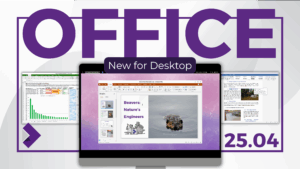
Same look. Same code.Your files, your device. We’re excited to share the first release of the new Collabora Office for desktop – bringing the familiar, powerful Collabora Online experience, to run locally on Windows, macOS, and Linux. Open it and feel instantly at home: ODF or DOCX, quick edits or
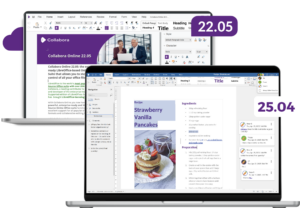
When we released Collabora Online 22.05, it marked a major step forward – a new design, LanguageTool integration, and a performance boost across the board. Since then, we’ve delivered new major releases: 23.05, 24.04 and 25.04 each bringing hundreds of improvements and a refreshed user experience. But the story didn’t