Collabora Mattermost plugin allows Mattermost users to view and edit files directly in Mattermost. The plugin is open source and you can find it on github.
How It Works
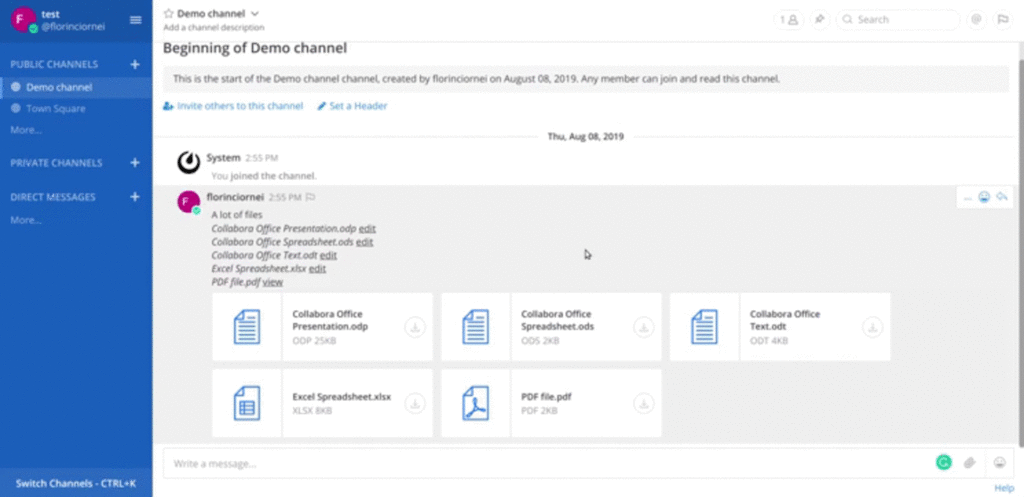
The plugin will parse the messages that contain attachments and will display a list with the files that can be viewed or edited. The file is automatically saved when editing, so you don’t have to do it manually.
Below you can see a list with the supported formats:
OpenDocument format: .ods, .odt, .odp, .odg etc.
Microsoft: .doc, .docx, .xls, .xlsx, .ppt, .pptx etc.
Others: .txt, .csv, .gif, .jpg, .jpeg, .png, .svg, .pdf etc.
Set the Collabora Online server address (more about this bellow) in the plugin’s settings. A page refresh may be required for the plugin’s settings to appear in the System Console.
Collabora Online uses a WOPI-like protocol (client) to access the files on your Mattermost server (host). Hence, you will also need a Collabora Online instance to use the plugin. You can build your own, or use a version of our CODE edition.