Web Application Open Platform Interface (WOPI) is a REST-based protocol originally developed by Microsoft to enable web-based document editing between third-party applications.
It’s the “plumbing” that connects document storage systems (such as Microsoft SharePoint, file servers or cloud storage) with online office suites for seamless editing experiences. Microsoft created WOPI in 2012 as part of its transition to cloud-based Office 365. (For a more light-hearted run through this topic, check out this post!)
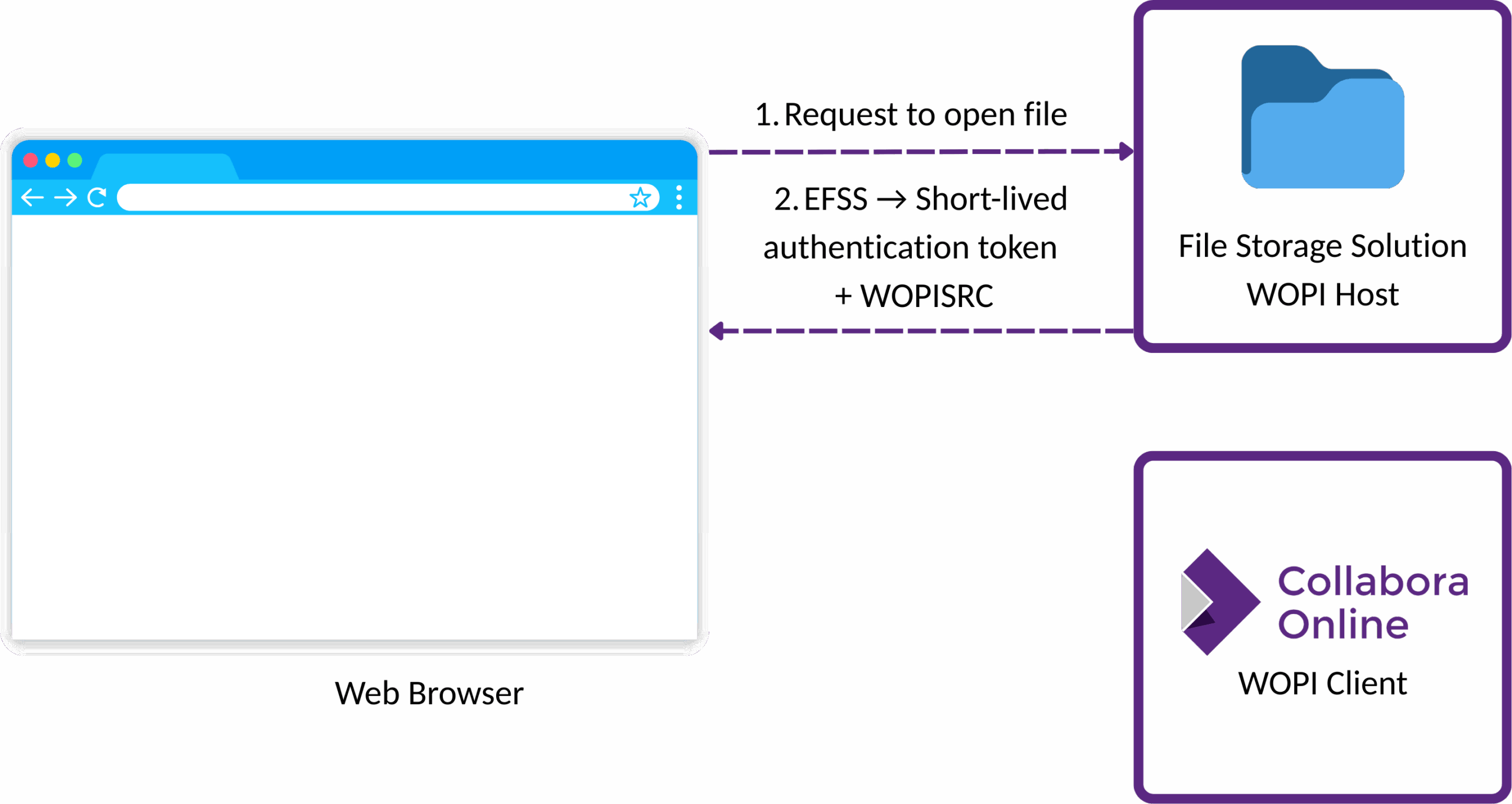
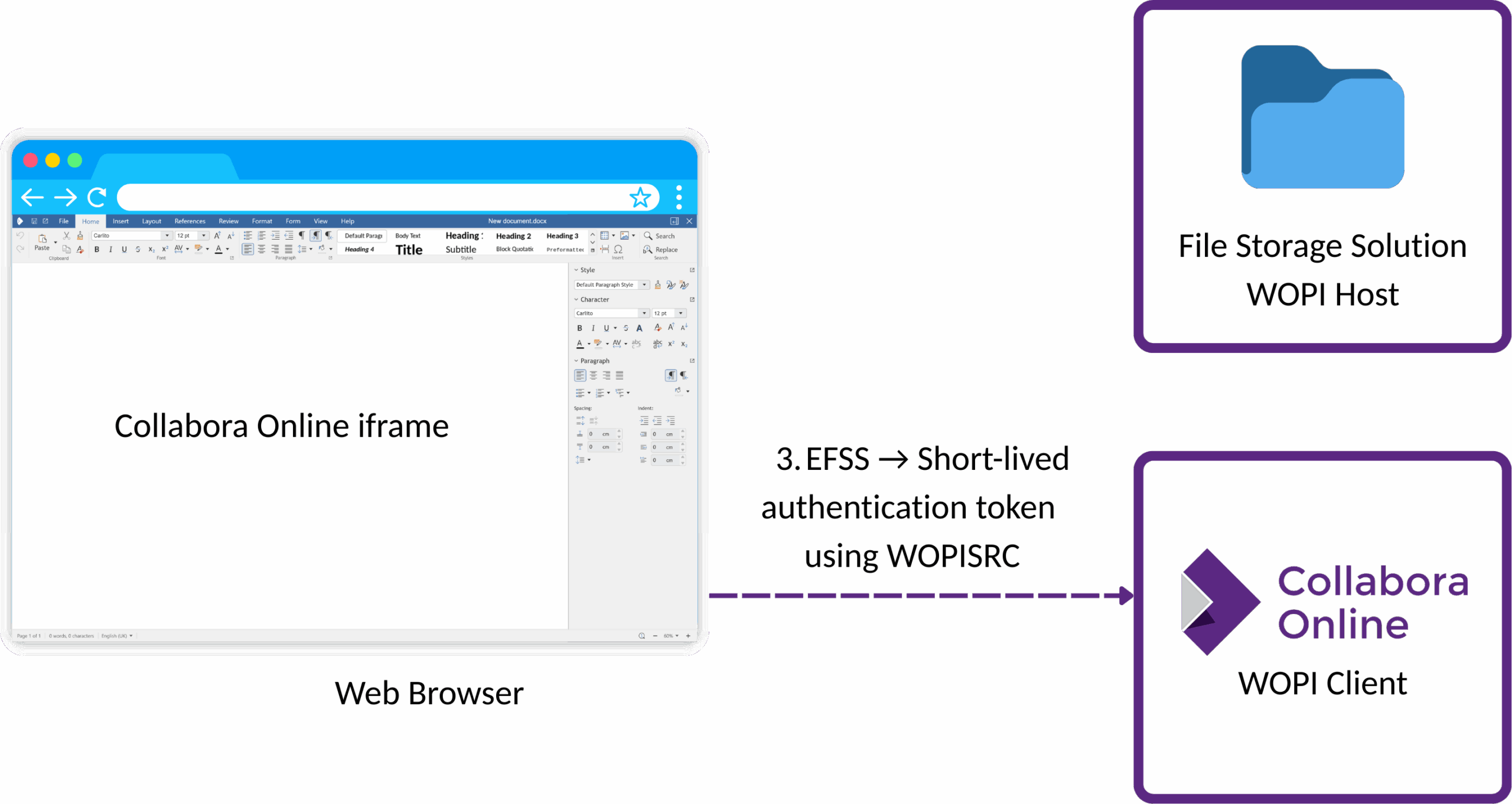
WOPI abstracts document storage from editing applications and defines standardised ways for incorporating:
- Authentication: Between storage systems and office applications
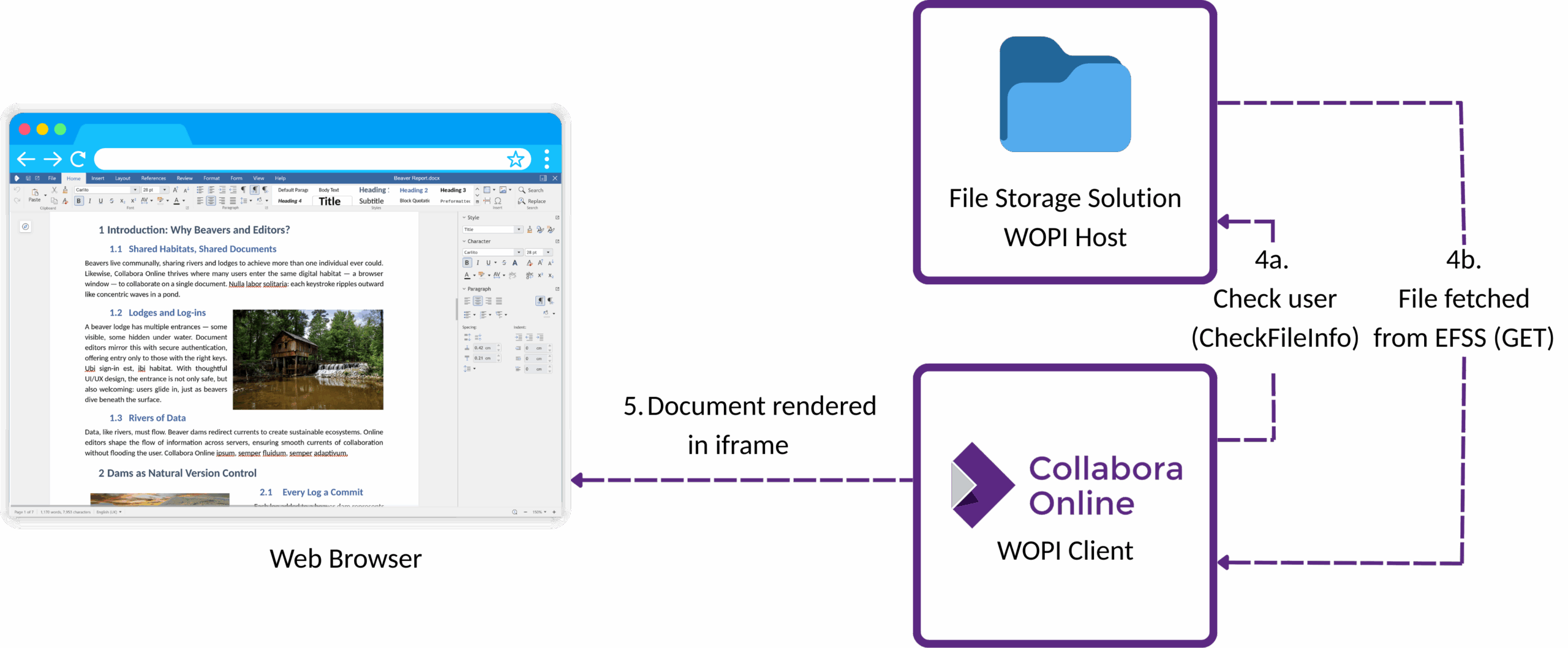
- Metadata exchange: File properties, user permissions and capabilities
- Storage operations: Load, Save, Save-As, Locking
- Session management: For concurrent user editing
The protocol handles authentication, file metadata, content retrieval, conversion and saving. Everything needed to edit documents is stored in one system using editing tools from another system, so it enables an office editing platform to access documents without requiring direct access to the storage system.
A Sovereign WOPI?
While WOPI is often associated with Microsoft’s cloud-operated Office Online services, the protocol itself does not require vendor-controlled infrastructure. Collabora Online demonstrates how a WOPI-like protocol can be used with private cloud, sovereign cloud, or on-premise deployments, without introducing external service dependencies.
1. Data Sovereignty
Collabora Online runs entirely within infrastructure you control – whether on-premise, private cloud, or a sovereign public cloud provider. Documents, editing operations, and user metadata remain within your chosen jurisdiction and administrative domain at all times.
2. Open Source Foundation
All of Collabora Online (our WOPI-like protocol and document editor) is fully open source and auditable. This includes request handling, permission evaluation, document lifecycle management, and save semantics – allowing organisations to verify behaviour, meet regulatory requirements, or adapt integrations to local policy.
3. No Telemetry
Collabora Online does not require telemetry, analytics callbacks, or external service connectivity. The integration can function entirely within the deployment environment, including in restricted networks and regulated environments where outbound connections are prohibited.
Migrating Without Disruption
Lowering Risk Without Breaking Existing Workflows
Migrating an online office solution is often perceived as high risk – particularly where document locking, synchronisation, and existing integrations are involved. Collabora Online is designed to minimise that risk by maintaining WOPI compatibility while addressing common pain points encountered in real-world deployments.
At its core, Collabora Online can act as a drop-in WOPI-compatible editor, allowing organisations to migrate editing workloads without changing storage platforms, user workflows, or integration patterns.
Safer Locking for Sync-and-Share Environments
Traditional file-locking mechanisms often conflict with modern file sync and share systems, particularly during collaborative editing or partial migrations. Our solution eliminates traditional file-locking mechanisms that conflict with standard file sync and share patterns, instead using timestamp-based conflict detection and auto-expiring lease-based locks.
Fast Integration With Existing Systems
For teams integrating Collabora Online into custom platforms, implementation effort is deliberately kept low. A basic WOPI integration is very fast, with supported SDK examples available for common environments including Node.js, PHP, Python, React, and .NET.
In addition, we have a list of available full production-grade integrations, including Drupal and WordPress integration, in the SDK.
Node.js example – integrating COOL via iFrame in Node.js. (Requires familiarity with npm and the node.js framework.)
PHP example – integrating Collabora Online via iFrame in PHP. Note: Apache Web Server must be installed on the host machine and started. Also requires PHP module for Apache to be installed and loaded.
Python example – A simple example integrating Collabora Online via iFrame in Python. (Requires familiarity with Python and Django framework.)
ReactJS example – A simple example integrating Collabora Online via iFrame in ReactJS and Express. We assume you are familiar with ReactJS, npm and node.js framework.
.NET example – A simple example integrating Collabora Online via iFrame with .NET backend.
More Than a Like-for-Like Replacement
While Collabora Online can be introduced as a direct replacement, its WOPI-based integration also enables additional capabilities that organisations can adopt incrementally. These include document conversion APIs commonly used for previews, richer configuration options, and integration with open-source tools such as Zotero for citation management.
These enhancements do not require changes to document storage or access models, allowing organisations to extend functionality after migration rather than during it.
Secure Viewing for Secure Sharing
While Collabora Online provides many integration features through its WOPI-based APIs, it shares pixels of documents – rendered tiles, to another user’s screen and not the document itself. In addition, the pixels can be further secured by including server-side watermarks, which may include the name of user viewing the file for example. Collabora Online does not store any of the data itself.
Real-World Migration Case Studies
Dutch Education and Research (SURF)
- From: Microsoft Office Online + various storage requirements
- To: NextCloud + Collabora Online
- Result: ~100,000 users, complete data sovereignty, significant cost reduction
SURF, the Netherlands education and research network, exemplifies large-scale success with 100,000 users across 59 institutions processing 850GB of data daily with 21 new users added continuously. This deployment replaces traditional commercial alternatives while providing superior security and data control.
University of Lille
- From: Mixed Microsoft/Google environment
- To: Nextcloud + Collabora Online
- Result: 70,000 users, standardised tooling, enhanced security
The University of Lille serves 70,000 users (67,000 students and 6,300 staff) through Nextcloud integration, achieving standardised office tools across diverse IT cultures. “The University is really aiming at facilitating open standards across the whole campus,” IT Director Cédric Foll.
German Federal Government
- From: Microsoft 365
- To: openDesk (sovereign cloud + Collabora Online)
- Result: Digital sovereignty compliance, reduced foreign dependency
Recently the German federal government launched the openDesk initiative to migrate from Microsoft 365 to a sovereign digital workplace combining Collabora Online, Nextcloud, and other productivity applications.
Break Vendor Lock-In Without Breaking Your Stack
Collabora Online provides a clear path away from Microsoft dependency while preserving familiar workflows, integration patterns, and operational models. By building on Microsoft’s own open WOPI protocol, organisations gain the freedom to choose an interoperable editor without rewriting their storage, identity, or collaboration layers.
For CTOs evaluating long-term strategy, Collabora Online’s WOPI implementation offers a rare and practical combination:
- Compatibility with existing Microsoft-based workflows
- Independence from vendor-controlled cloud services
- Predictable cost savings through open-source economics
- Security and compliance through self-managed deployment
If reducing platform risk, cost exposure, and dependency is part of your roadmap, Collabora Online enables migration on your terms – incrementally, safely, with long term flexibility built in.
Contact us today to discuss how office migration can transform your workflows and position your organisation for continued success. Visit collaboraonline.com or contact our engineering sales team at hello@collaboraoffice.com to explore your opportunities.