Keep your storage. Upgrade your editing.
If you’ve ever wondered whether Collabora Online is a “cloud drive”, the simple answer is no. We are focussed on making the best document editor possible, and don’t handle document storage.
For document storage, we integrate beautifully with Enterprise File Sync & Share solutions (EFSS). If you are more technically minded, and want a more in-depth look at how we do that, check out this post, but for a more light-hearted run through, read on here…
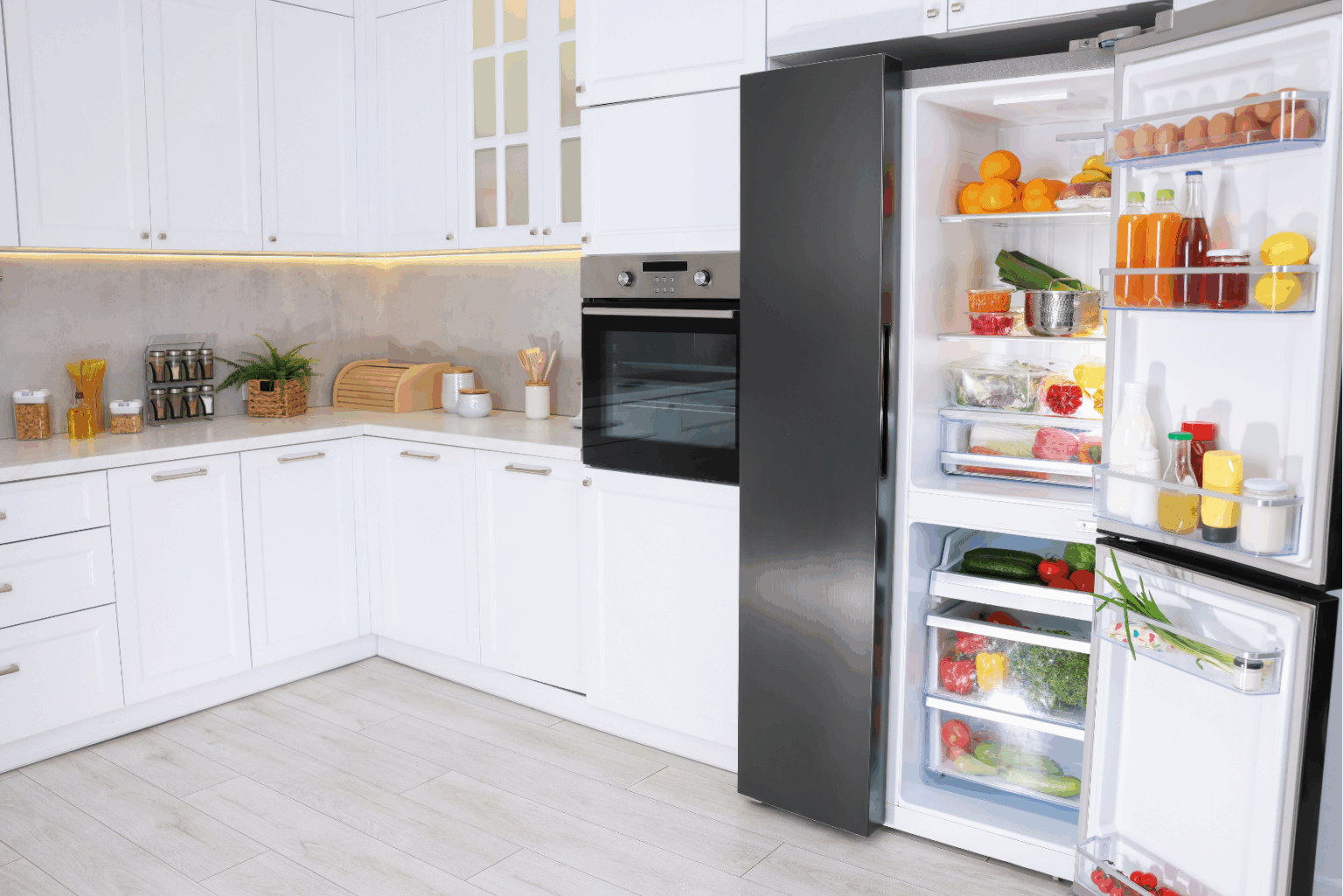
Collabora Online is a kitchen. It’s where the work happens – chopping, mixing, frying, baking. Rendering, editing, tracked changes, comments, styles, spreadsheets, presentations and formulas. The process of making beautiful and powerful documents happens here.
Your Enterprise File Sync & Share solution is the fridge (a really smart fridge). Nextcloud, OpenCloud, Seafile, SharePoint, etc. The fridge handles storing what you’ve made, plus who can open the door: access control, sharing links, retention policies, DLP, all that operational goodness. (OK OK! – most modern EFSS solutions do way more than storage. Our partners and integrators are doing awesome things with video-calls, calendars, email, projects management etc. But no one has invented a fridge/dishwasher/smoke-alarm/100-seater dining table combo yet, so we’re going to stick with the fridge analogy for now!)
You don’t cook in the fridge, and you don’t keep food out on the kitchen worktop.
Collabora Online runs in stateless containers by design: we open what your EFSS hands us, let you create your masterpiece, and continuously sync changes back to your EFSS – no long-term storage in the editor. The sharing uses a WOPI-like communication standard making sure the fridge and the kitchen speak the same language. If you want a new fridge? No problem! Bigger, smaller, one of the models with an integrated ice-cube dispenser? No problem. You use what works for you, and we make the rest of the kitchen fast, reliable, and a joy to cook in.
But surely Microsoft does everything right?
It’s undeniably convenient when your editor, storage, chat, meetings and identity all live under one roof. That tight integration is a big reason many people don’t realise there’s a difference between SharePoint/OneDrive (storage/EFSS) and Office for the web (the editor). For many teams, “It’s all Microsoft” just… works.
The trade-offs show up when you need choice and control.
- Where your fridge lives. Microsoft’s cloud is, by default, their cloud. If you need data-hosting choices, on-premise hosting, or jurisdictional control, the options narrow quickly – especially now that Office Online Server (the self-hostable web editor) has an end-of-support date and no like-for-like on-prem replacement1, forcing organisations to Microsoft 365’s cloud services. If you want control over where you keep your food, this is a problem.
- How extensible the experience is. In a closed ecosystem you inherit one vendor’s timeline and guardrails. If you want a particular governance stack, a specific link-sharing model, unusual retention, or to keep everything on your own infra, you’re often choosing between “do it their way” or “don’t do it.” By contrast, Collabora Online’s model is designed to sit inside your architecture. We are a software developer, not a cloud service – making bundling easy. We also offer 3 years’ LTS for each release [link to recent blog] so you upgrade when you’re ready, not when we say go.
- All-in-one stacks bolt the kitchen to the ground. Collabora Online is different: if you want, we can even be a moveable food truck, we’ll cook documents from whichever fridge (EFSS) you prefer (or even multiple EFSS’s!). Running in stateless containers, means not only your files, but all your settings stay in the EFSS, so you can deploy wherever it makes sense – on-prem, your private cloud, multi-cloud, even air-gapped – without refitting your storage.
Keep Cooking When Clouds Go Cold
And that’s all before we start talking about the associated problems with vendor lock-in. Long story short – throwing all your eggs in one basket (especially a basket you rent and aren’t allowed to move) isn’t usually a good idea.
So what’s “missing” in an all-in-one world? Not missing features in the editor per se (although there’s plenty missing from Microsoft’s online editor) but rather missing options for how you deploy, store, and govern.
A 60-second WOPI explainer*** (no handshakes, promise)
Think of WOPI as a kitchen–fridge conversation:
- Your EFSS (WOPI host) invites the editor with a short-lived token and a “please open this file” URL.
- Collabora Online (WOPI client) opens the document, renders it, and when you edit, calls back to the EFSS’s endpoints to read/write.
- Identity, permissions, and audit stay with the EFSS, the editor focuses on editing.
If your fridge speaks WOPI, our kitchen cooks.
What does this mean in practice? No download-save-reupload dance, no losing track of whether DocumentName_v003_FINAL_printthisone.docx is the one to email to your client. You click on a file in your EFSS, the file opens in the same browser window, while all the syncing magic happens behind the scenes.
*** This is hugely simplified, but hopefully you get the idea! Want more of the nuts and bolts later? Check out this post or have a look at our SDK.
Make Your Sysadmin Happy
Sysadmins get a simple life: our architecture scales beautifully, rolls through updates cleanly, and doesn’t hoard storage. We even have a kubernetes controller making 10,000+ user deployments easy to manage (because some people have really big kitchens!) Storage, identity, logging and retention stay where policy says they belong – inside the EFSS. And if you need long-term support, we publish multi-year LTS so you upgrade on your schedule, not because someone else’s roadmap says so.
A Solution that Works For You
Putting everything under one roof can feel tidy – but it also means your users have no choice. As an EFSS vendor, OEM’ing Collabora Online gives you a self-contained “kitchen” that slots cleanly into your platform, looks like your brand, and deploys anywhere (on-prem, your cloud, their cloud). You keep ownership of storage, identity, sharing, and roadmap, we bring the editor that users expect without dragging you into the years-long grind of office compatibility and performance engineering.
A partner that respects your business
EFSS looks simple on the surface, but it isn’t! Authentication, multi-tenant storage, replication, retention, legal holds, link policies – that’s a seriously full-time project. Office editing is its own craft too – and it’s the one we focus on. Rather than everyone building mediocre/buggy “all-in-one” solutions we are staying out of the EFSS market and make the best document editor we can. The result: a faster time-to-market, fewer moving parts to support, stateless containers that scale with your needs, multi-year LTS so upgrades fit your cadence, and a team that ships features your customers will love. All the while you keep control of the customer relationship and the business value you’ve already built.
Try it now
Give Collabora Online a go with our free trial. Or if you’re feeling technical, try pointing Collabora Online at your EFSS, open a file, and enjoy working!