


Szymon Klos
Related commit: pptx: export overrideClrMapping in slide layouts
In presentations saved as PPTX file format there is a possibility to map some theme colors differently in particular slides or layouts than in the general master theme (see <a:overrideClrMapping>). For example you can use it for different “section separator” slides – one with primary color as a background and second one with some accent color.
We were correctly importing such relations from PPTX but when file was saved – the mapping was lost and after opening the resulting file we got wrong colors on the screen.
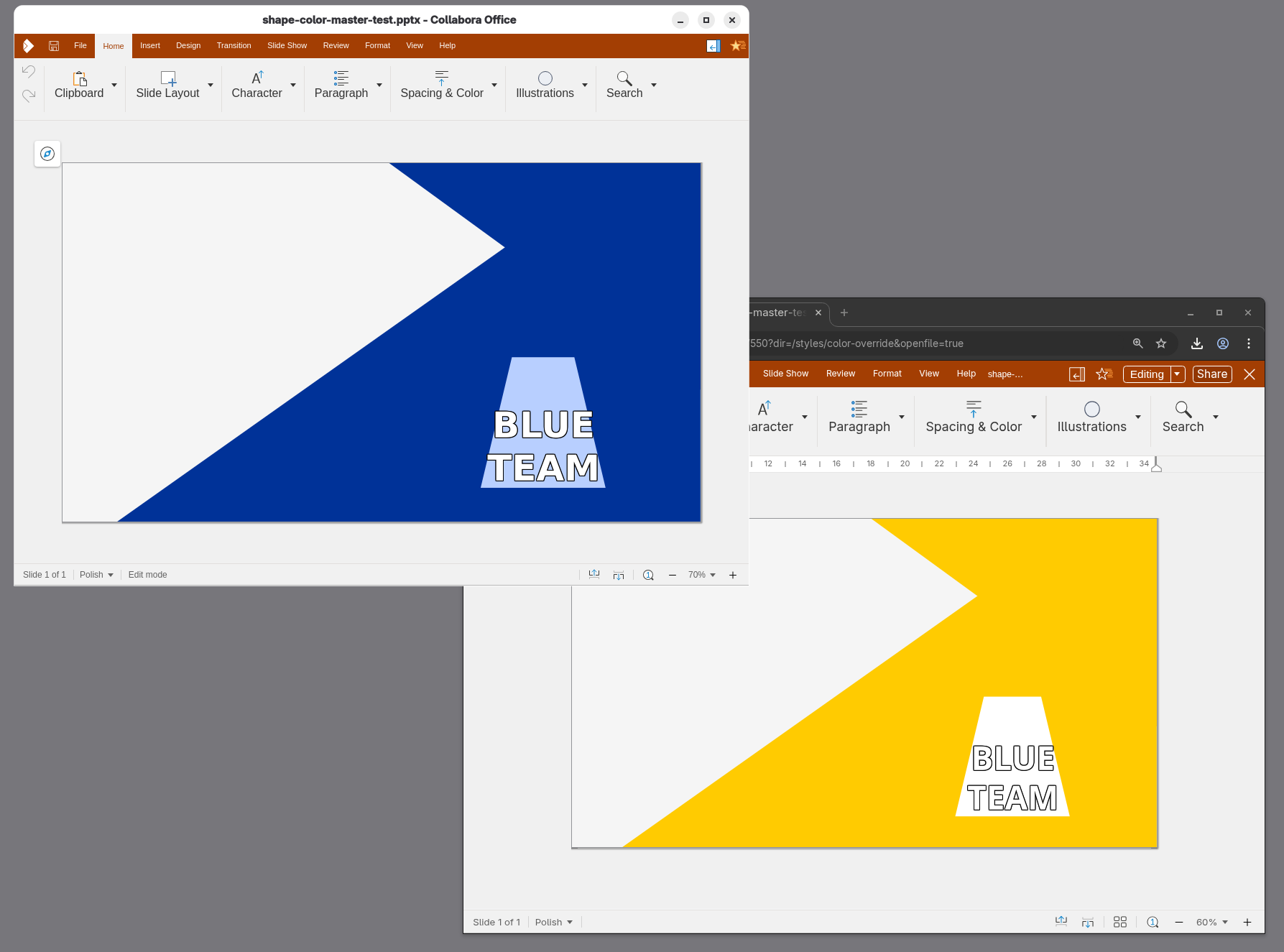
The patch fixes the issue by storing the mapping information collected on import. Later we can put back the same mappings during the export. In result, exported file opens with correctly colored slides. In current state it uses so called “grab-bag” which can collect information we need during export. Later development can be done on top to include such properties into our model instead of mentioned container. That would be more elegant solution with more potential to adjust colors to user needs in various configurations.
