A problem was reported about Writer, and we investigated. In a document with a lot of content, on certain editing operations, an entire table would just vanish from the document.
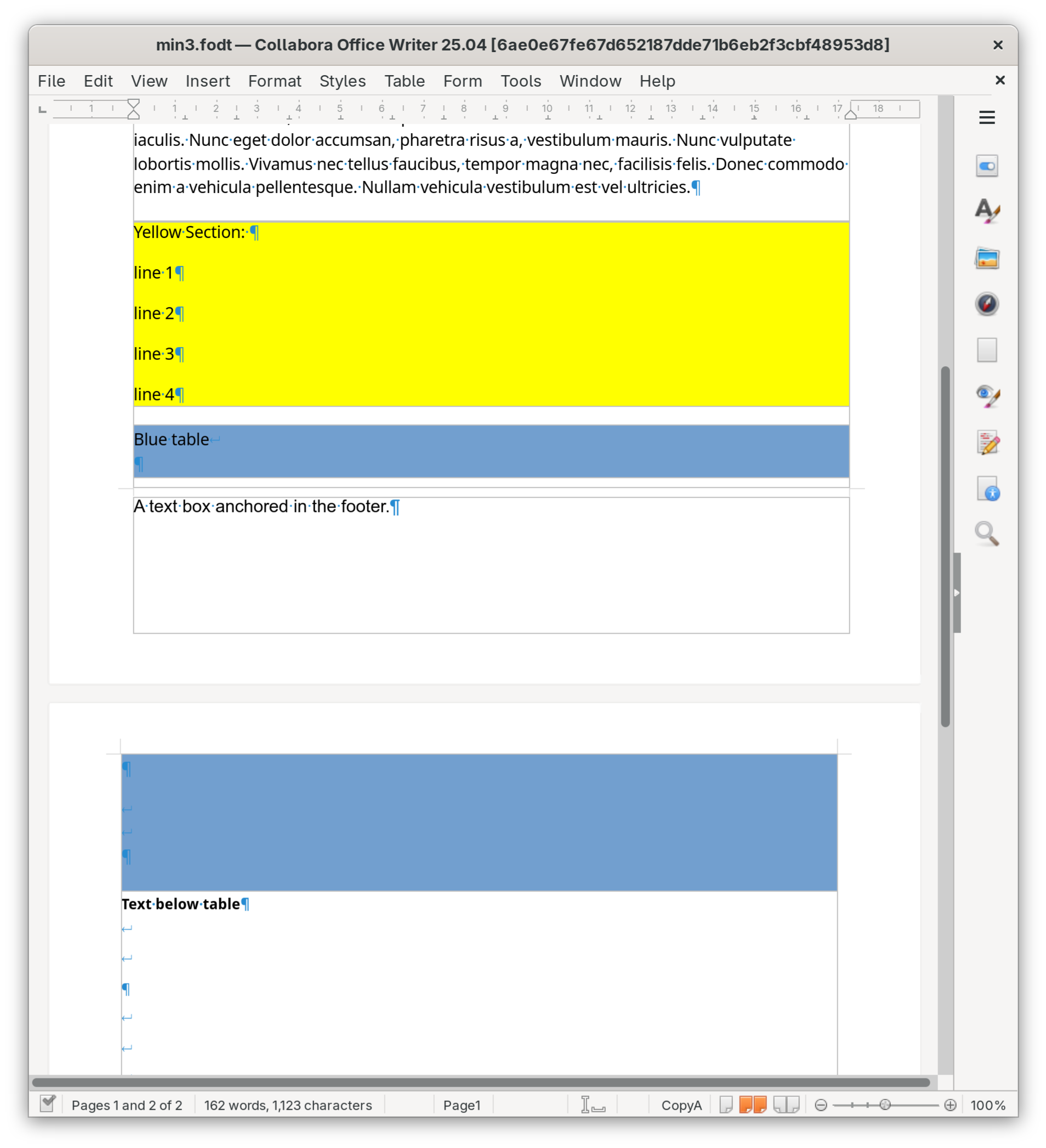
First, we did get rid of a lot of extraneous content in the document, so that it can the parts that are required to reproduce the problem can be better understood. The result is a document with some text, a section, followed by a table that is split across 2 pages. There must be a footer on the page with the first part of the table, and the footer must contain an object that is anchored at-character or at-paragraph. Also, there must be another object of suitable size anchored somewhere below the part of the table that is on the second page. That’s a fairly typical set of conditions to reproduce the layout problems users tend to report. See the below screenshot.
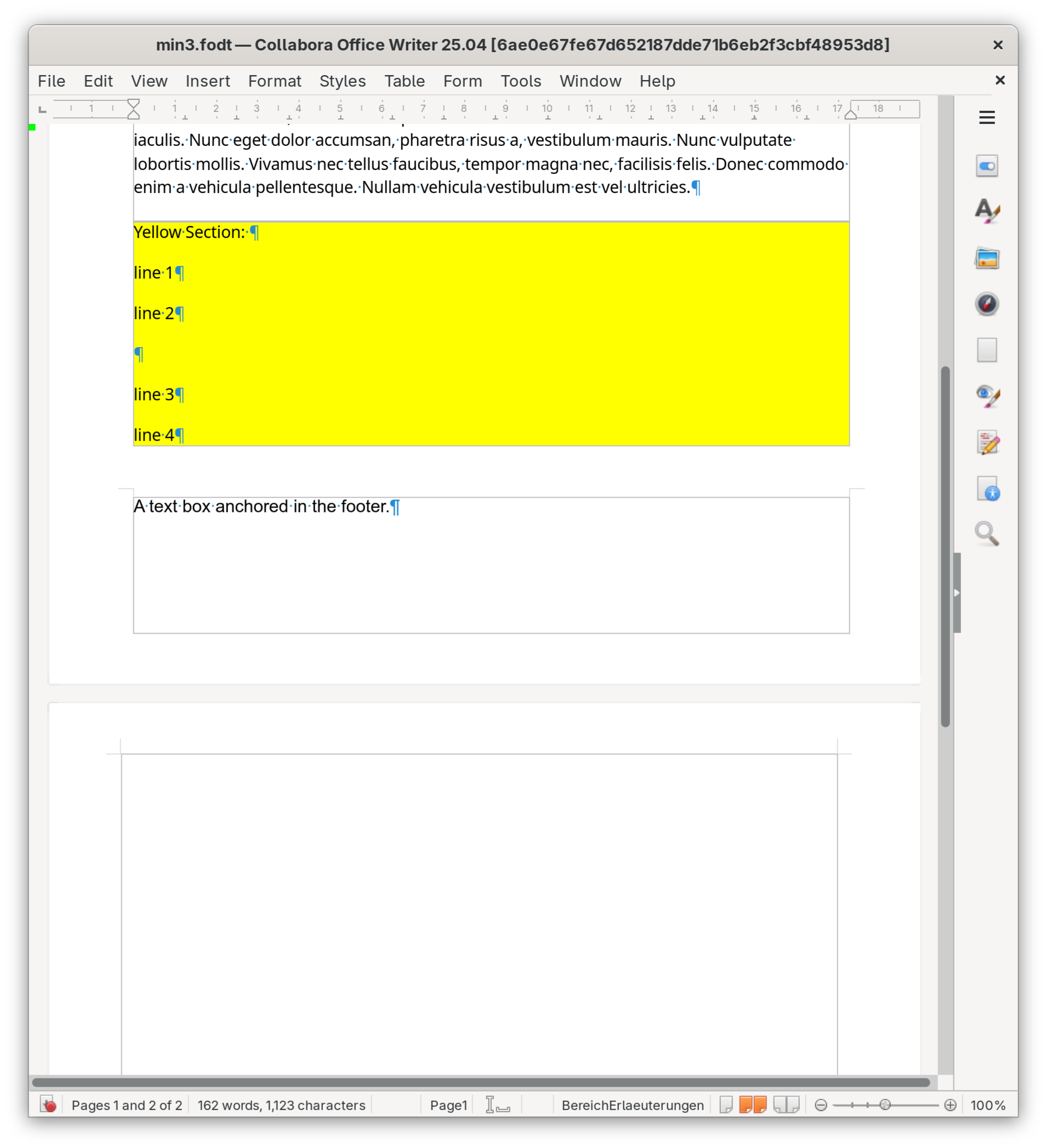
Now the problem is, the user puts the cursor inside the yellow section and presses enter to create a paragraph break, and then the blue table simply vanishes! Oh noes!
It turns out that what happens is that there is no more space at the bottom of the first page, so the whole table moves to the second page, and it is positioned at the top where you would expect it to be, but its first row is positioned much further down, even below the bottom of the table. The painting of the row clips it to the boundaries of its containing table, so it vanishes.
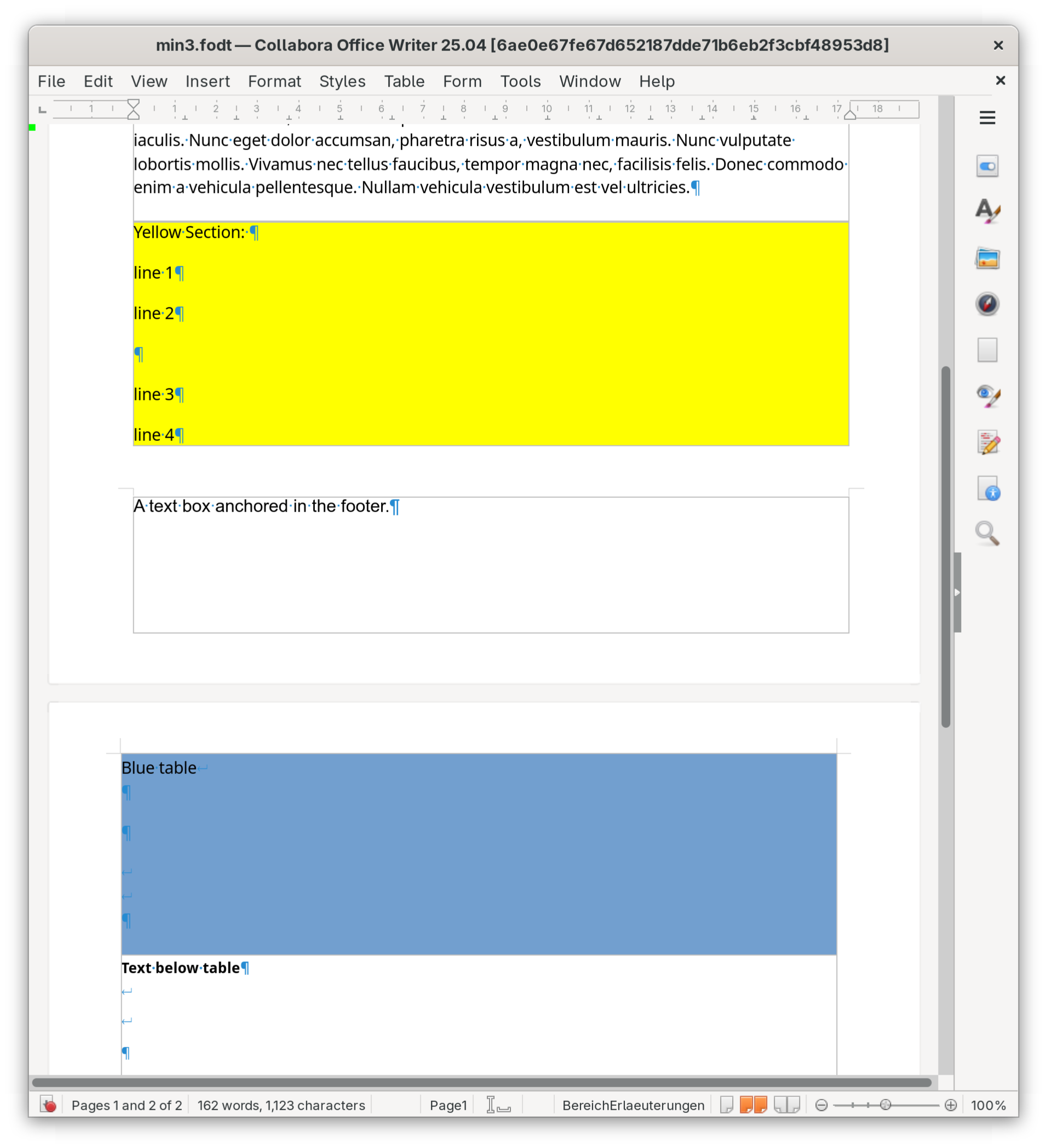
The fix turned out to be just 2 lines of code to add an invalidation of the position of the first table row in particular conditions, but it took quite some debugging to figure out. Now it looks like this: