For over 12 years, Collabora Productivity has been privileged to work as one part of a broader community of enthusiastic developers, both volunteers and paid, collaborating to make an open source office suite that is free to download and trusted by millions of users.
The LibreOffice codebase is the foundation of Collabora Online, our enterprise, document-editing and online collaboration product – and as long-standing members of the community, we are excited to contribute to LibreOffice releases with 26.2 available today!
Our contributions
With the merger with allotropia software GmbH in May 2025, our commits to the codebase for 2025 (from January to the end of December), as per The Document Foundation’s State of the Project 2025, amounted to around 45% of the total commits from over 50 individuals.
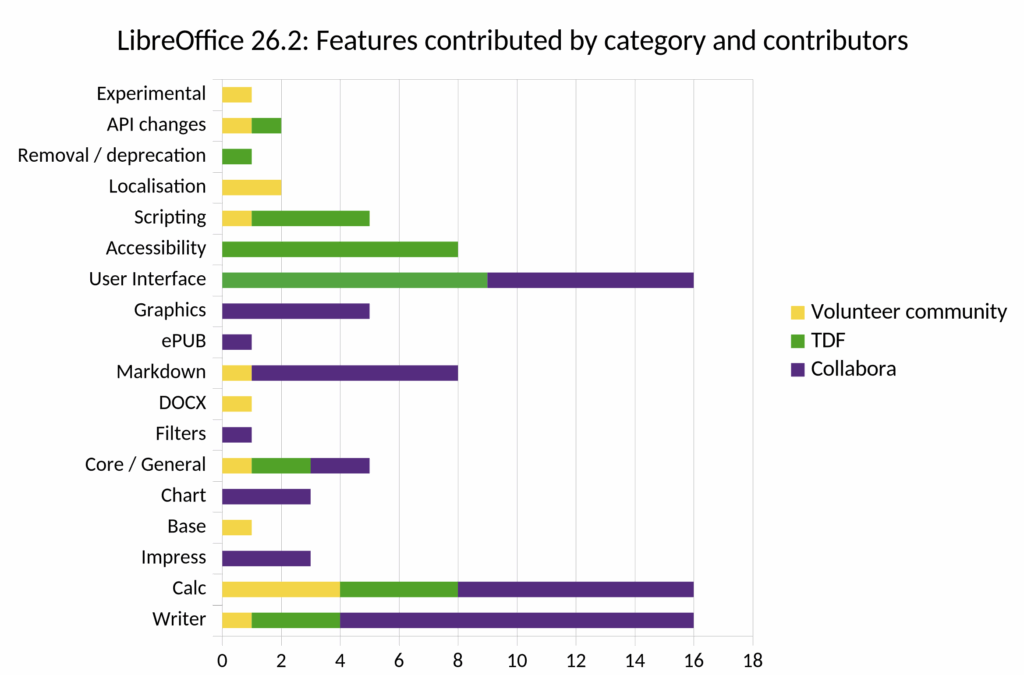
While Collabora Productivity is part of a global community of committers, we were fortunate enough to be able to contribute more than half of the documented features from the release notes for LibreOffice 26.2. In terms of total commits, this amounted to around 2,000, but, more importantly, fixed over 500 issues (including commits merged from 25.8 to 26.2.02). The chart shows the feature areas from the release notes where Collabora engineers contributed code.
It is fair to say this release focuses less on new features and instead offers many improvements to app performance and a smoother overall experience with LibreOffice. Collabora Productivity, together with peers in the community, have also worked diligently to improve interoperability and compatibility issues, and here are some of Collabora’s contribution highlights:
Writer: Auto Captions and Fixes
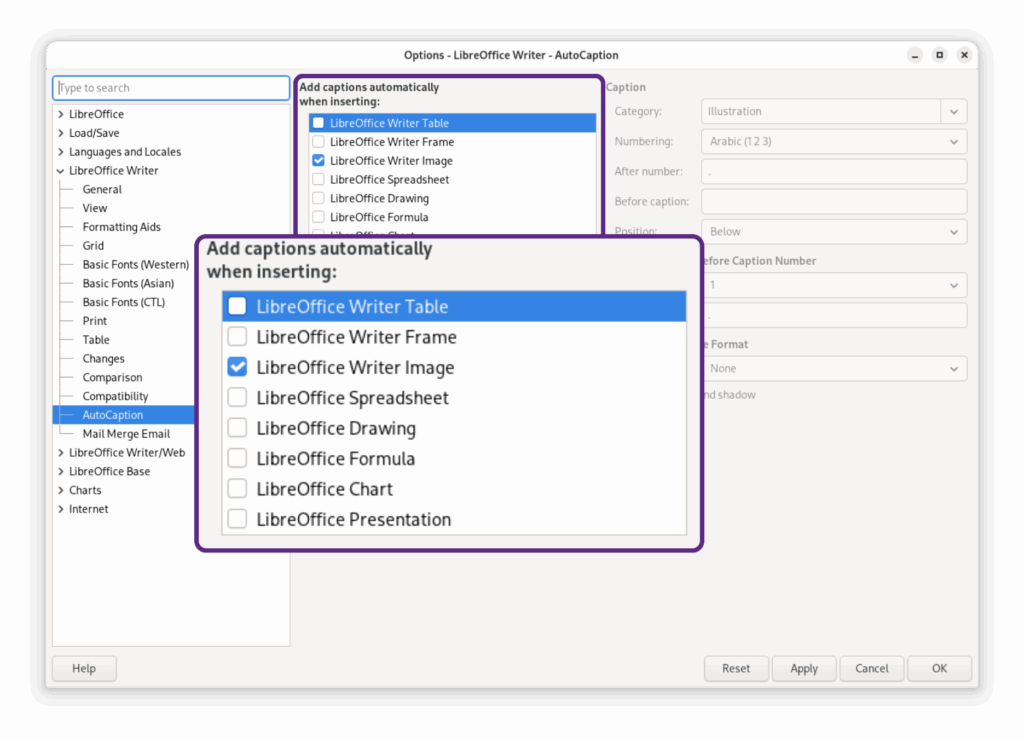
AutoCaptions – When you paste in an image, Writer auto-inserts a caption, as long as you check the box in Tools > Options > LibreOffice Writer > AutoCaptions.
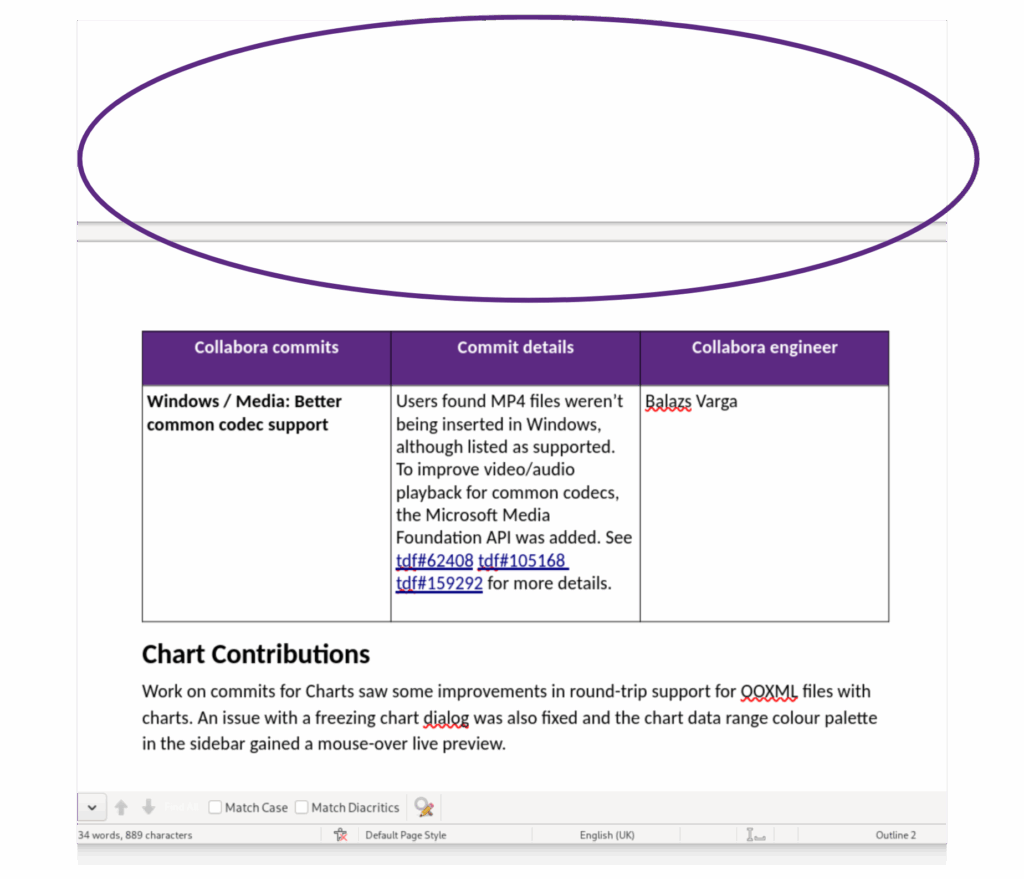
Better handling of Floating Tables – Tables are better behaved! Previously, Writer prioritised keeping tables and headers together, which meant they could both slide onto the next page if there wasn’t enough space left on the page. Sometimes this disrupted document flow, creating a large gap on the previous page, but this is now fixed. Read how it was fixed on Miklos Vajna’s blog.
Better DOCX interoperability for Floating Tables – The handling of the Table Split feature has improved. Prior to 26.2, this would result in two floating tables inside one frame, which couldn’t be exported to DOCX.
Track Changes improved – You have greater choice when handling interdependent changes now, and can select the ‘layer’ to change in the Manage Changes, e.g., you can choose a format change that’s on top of a Delete or Insert change.
Prior to 26.2, a Floating Table followed by a headline were both prioritised, often pushing them onto the next page when close to the bottom of the page. This happened because of the keep-with-next / don’t split paragraph attributes and create large white spaces in documents, but this is now fixed. Read Miklos Vajna’s blog to learn how.
Calc: Supporting more features
BIFF12 support – The max limit for pasting from Excel to Calc has increased. Prior to 26.2, Calc could paste 65,536 rows. With the Biff12 file format (Excel 2007+) supported, users can paste 1,048,576 rows by 16,384 columns per sheet.
XmlMaps support – Users spotted that XLSX spreadsheets lost xmlMaps.xml when opened in Calc and saved as an XLSX file. With xmlMaps.xml support, users can create direct, structural links between cells and external XML data files, e.g., turning Calc into an interface for managing XML data.
Chart: Live Preview for Sidebar
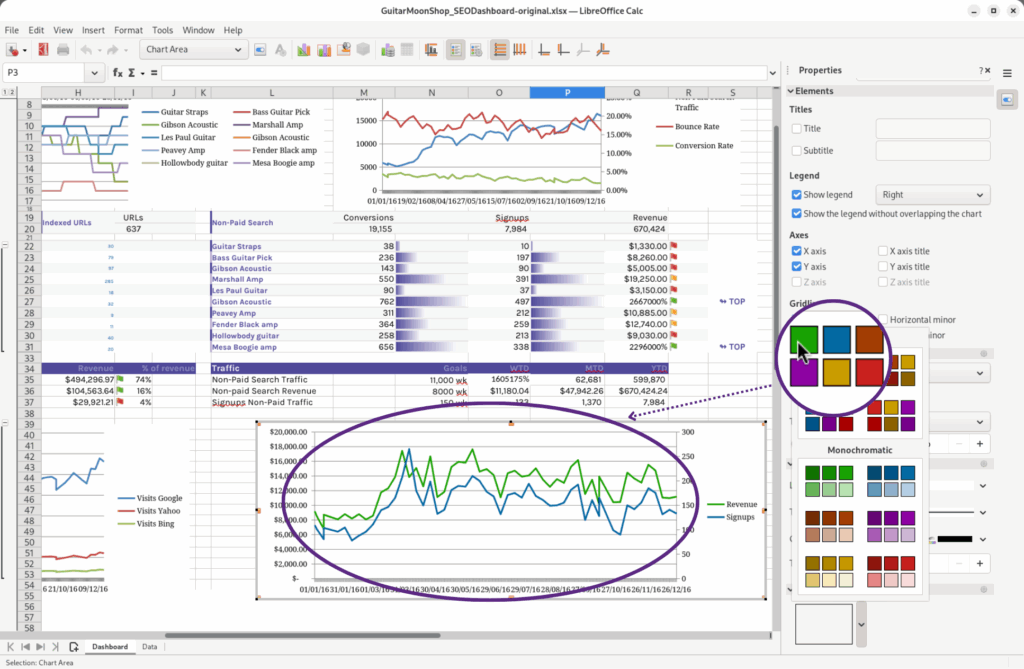
Live Preview – It’s quicker to select colour schemes. When a user mouses over Chart data range colour palette entries, it shows a live preview in the active chart.
Live Preview for Sidebar colour themes: Select any Data Series in an active chart, and with the Sidebar open, scroll down to the ‘Color’ section. When you open the Color dialog and mouse-over any of the ‘Colorful’ and ‘Monochromatic’ colour palette themes, you will see a preview of how it will look.
Performance: Boosts and Fixes
Calc – Lots of fixes, like faster scrolling on spreadsheets with many hidden columns, faster removal of duplicates, and Reject All in Track Changes was slow to complete, so that’s been optimised.
Graphics – Again, a lot more optimisation for many user cases, especially when exporting SVGs with bitmaps and importing certain SVGs (usually because of fills) and polygons (with tiled image fill) that were noticeably slow to render.
UI – for example, Go To Page / Slide / Sheet Dialogs are async now, which means the UI stays responsive when navigating large documents.
UI: New Context Menu option
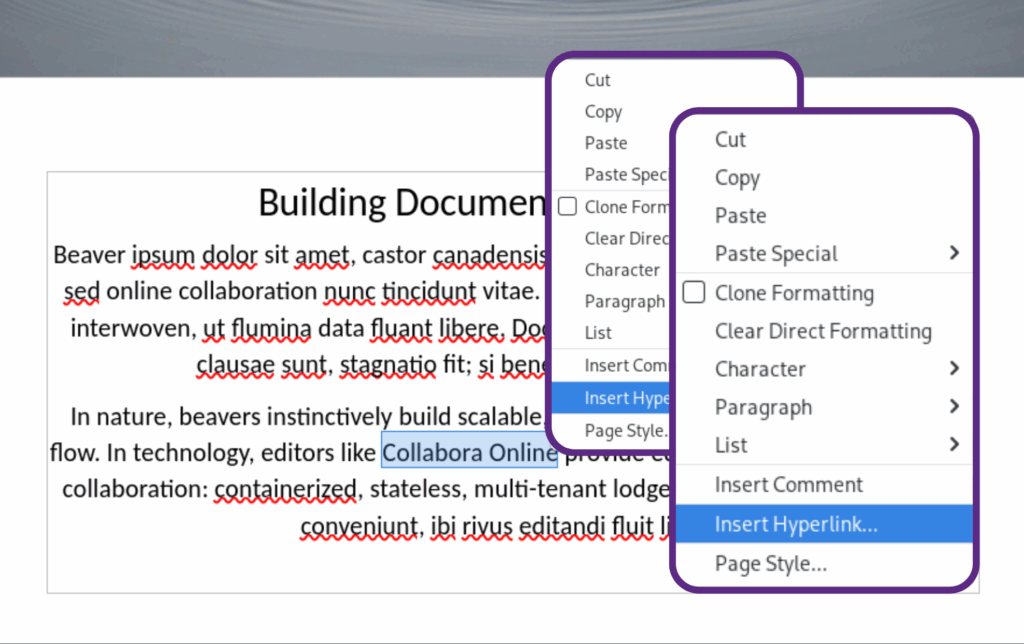
Insert Hyperlink – Another new time-saver courtesy of the Context Menu, which works across all the core apps. This time, when you highlight text, and the Context Menu pops up automatically, you will find an ‘Inset Hyperlink’ as an option.
Highlight text and when the Context Menu appears, 26.2 now includes an Insert Hyperlink option.
Filters: Improved Interoperability and Markdown
Markdown – Both Markdown export and import features are improved, and you can apply templates to imported Markdown, too, so your documents pick up the colour theme and formatting, for example.
Calc: Generic XML and JSON Tabular Mapping Support – Linkable tabular ranges are auto-mapped to sheets in Calc when opened now. A linkable range is a section of a document containing tabular records. When a document contains multiple linkable ranges, each range gets mapped to a single sheet.
There are many other commits from many people in LibreOffice 26.2, so while we are acknowledging the time and effort contributed by our engineering team here, we want to celebrate the collective contributions of everyone involved in the LibreOffice project.
“We are pleased that Collabora Productivity's business model of selling maintenance subscriptions has allowed us to contribute the majority of highlighted new features in this release cycle - alongside the community.”
For a detailed document on Collabora Productivity’s contributions to LibreOffice 26.2 and the support we provide in areas such as crash-testing, security maintenance and interoperability, download the fact sheet (PDF).
We love to work in the open for the benefit of everyone and empower each user to control their documents!
If you’re new here, and you’re looking for a feature rich and compatible open source solution for editing and collaboration your users will love, try Collabora Online today!